When working with Git, you may need to switch branches or apply changes quickly without committing. The git stash command is designed for exactly this purpose, allowing you to save your uncommitted changes temporarily and return to them later. In this guide, we’ll cover everything you need to know about using git stash, from basic commands to advanced management of stashed changes.
What is Git Stash?
The git stash command is a powerful tool in Git that saves your local changes without committing them. This command temporarily stores (or “stashes”) changes so that you can switch branches or work on other tasks without losing your work.
Example Scenario
Imagine you’re working on a feature but need to fix an urgent bug in another branch. With git stash, you can save your current changes, switch to the other branch to fix the bug, then return to your saved work.
How to Use Git Stash
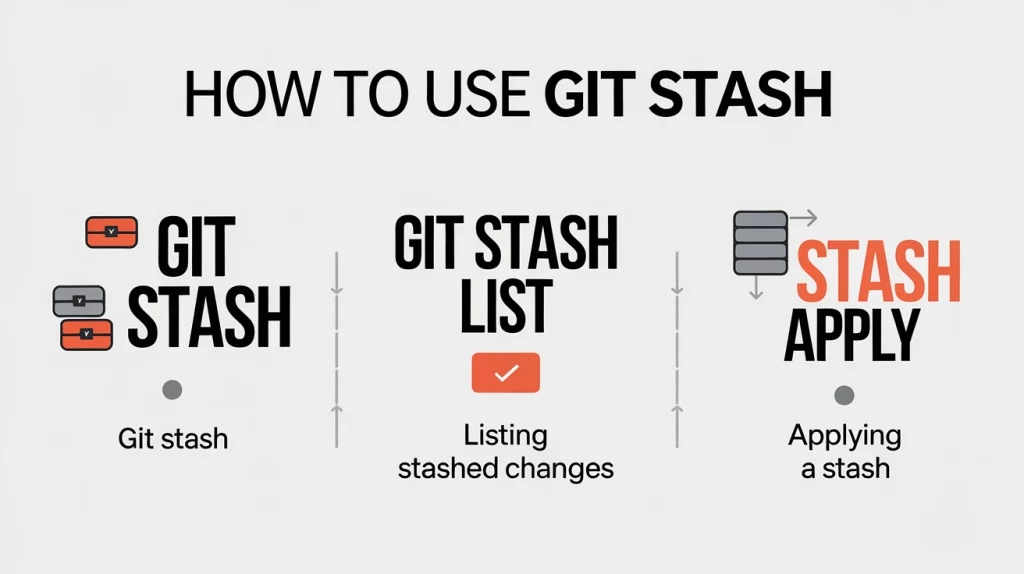
Here are the essential commands for using git stash effectively.
1. Stashing Changes
To save your current changes, use:
git stashThis command stashes both tracked and untracked changes. Git will save these changes and restore your working directory to a clean state.
You can add a message to identify your stash:
git stash push -m "Stash message here"2. Listing Stashed Changes
To view all your stashed changes, use:
git stash listThis command shows a list of all stashes in your repository, with each stash labeled by an index (e.g., stash@{0}, stash@{1}).
3. Applying a Stash
To reapply the most recent stash without removing it, use:
git stash applyThis command retrieves your last stash and applies it to your working directory. The stash will still be saved, allowing you to apply it multiple times if needed.
4. Removing and Applying with git stash pop
If you want to apply a stash and remove it from the stash list, use:
git stash popThis command applies the latest stash and then deletes it, cleaning up your stash list.
5. Deleting Stashes
To delete a specific stash, use:
git stash drop stash@{0}This command removes the specified stash (e.g., stash@{0}) from the stash list. If you want to clear all stashes, use:
git stash clear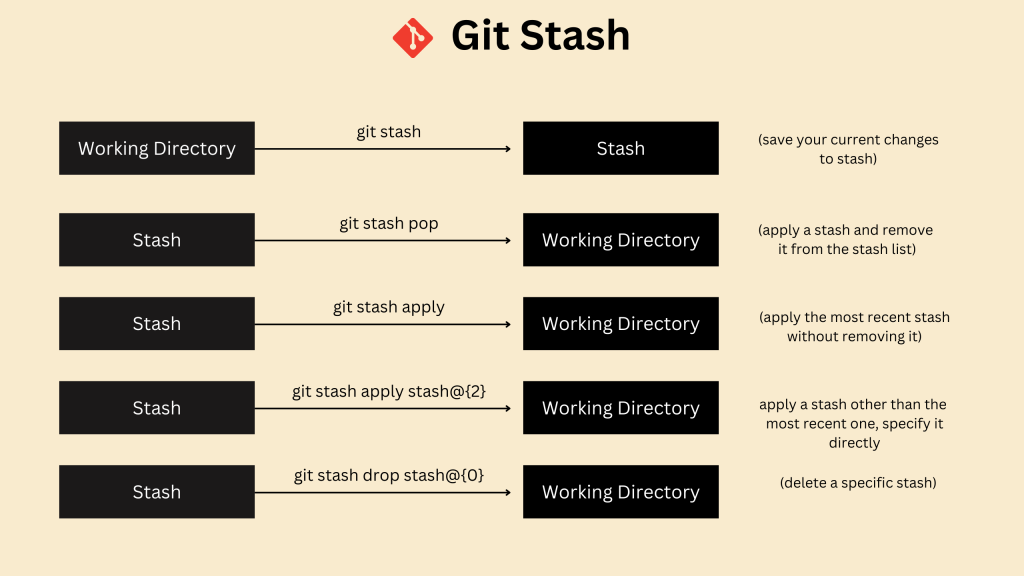
Advanced Git Stash Commands
Applying a Specific Stash
If you want to apply a stash other than the most recent one, specify it directly:
git stash apply stash@{2}This command applies the stash at index 2 in your stash list.
Stashing Only Unstaged Changes
If you want to stash only changes that haven’t been staged, use:
git stash push --keep-indexThis command stashes unstaged changes but keeps staged changes intact, allowing you to separate changes for more flexible workflows.
When to Use Git Stash
The git stash command is ideal for situations when you need to:
- Switch branches without committing changes.
- Test or debug code in a different branch temporarily.
- Save work without committing when you’re in the middle of a task.
Using git stash effectively lets you manage and organize your workflow more efficiently in Git, giving you control over when and how changes are applied.
When working with Git, it’s essential to understand not only how to manage changes and synchronize your local repository with remote repositories but also how to handle uncommitted changes. One powerful tool for managing temporary changes in your workflow is the git stash command. This command allows you to save your uncommitted changes without committing them, enabling you to switch branches or apply changes quickly without losing your work.
For more insights on working with Git, including understanding key commands like git fetch and git pull, which are essential for syncing your local repository with remote changes, check out this detailed guide on Git fetch vs git pull.
Conclusion
With the git stash command, you can easily save, apply, and manage uncommitted changes in Git. Whether you’re switching branches, fixing bugs, or testing new features, Git stash provides a powerful way to keep your work safe and organized. By mastering commands like git stash apply, git stash pop, and git stash list, you can streamline your workflow and avoid common version control challenges.